
Code lists
Partners use their own keys – for items, units, currencies or status values. The cross-reference table translates between the partner value and your own value, in both directions. Without it every deviation would have to be handled in the mapping.
What is this for?
- Map partner values onto your own values and back.
- Keep separate lists per type, for items or units for example.
- Use direction to control whether the translation applies inbound, outbound or both.
How to set it up
- Create an entry and choose the type the translation applies to.
- Assign the partner – or leave it empty to apply it for all partners.
- Enter partner value and own value.
- Set the direction and activate the entry.
Fields of the form
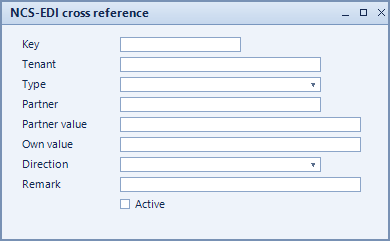
Captions taken from the "NCS-EDI cross reference" form (table @NCSEDI_XREF).
| Field | Meaning |
|---|---|
| Key | Unique key of the entry. |
| Tenant | Tenant the entry belongs to. |
| Type | Kind of translation, for example item or unit. |
| Partner | Partner the translation applies to. Empty means: all partners. |
| Partner value | Value used by the partner. |
| Own value | Corresponding value in your own system. |
| Direction | Direction: inbound, outbound or both. |
| Remark | Note on the entry. |
| Active | Enables the record. Only active records are evaluated. |